
QR codes have become one of the most recognizable digital tools in the modern internet era. From restaurant menus and product packaging to marketing campaigns and digital payments, QR codes allow users to instantly access information by simply scanning a small square image.
In 2026, QR codes are used across nearly every industry. Businesses use them for contactless services, marketers use them for campaigns, and developers use them to link users to websites or applications.
In this article you will learn:
-
What a QR code is
-
How QR codes work
-
Why QR codes are so widely used
-
How to generate a QR code online
-
How tools like the linigu.cloud converter platform help create and manage digital resources
What Is a QR Code?


4
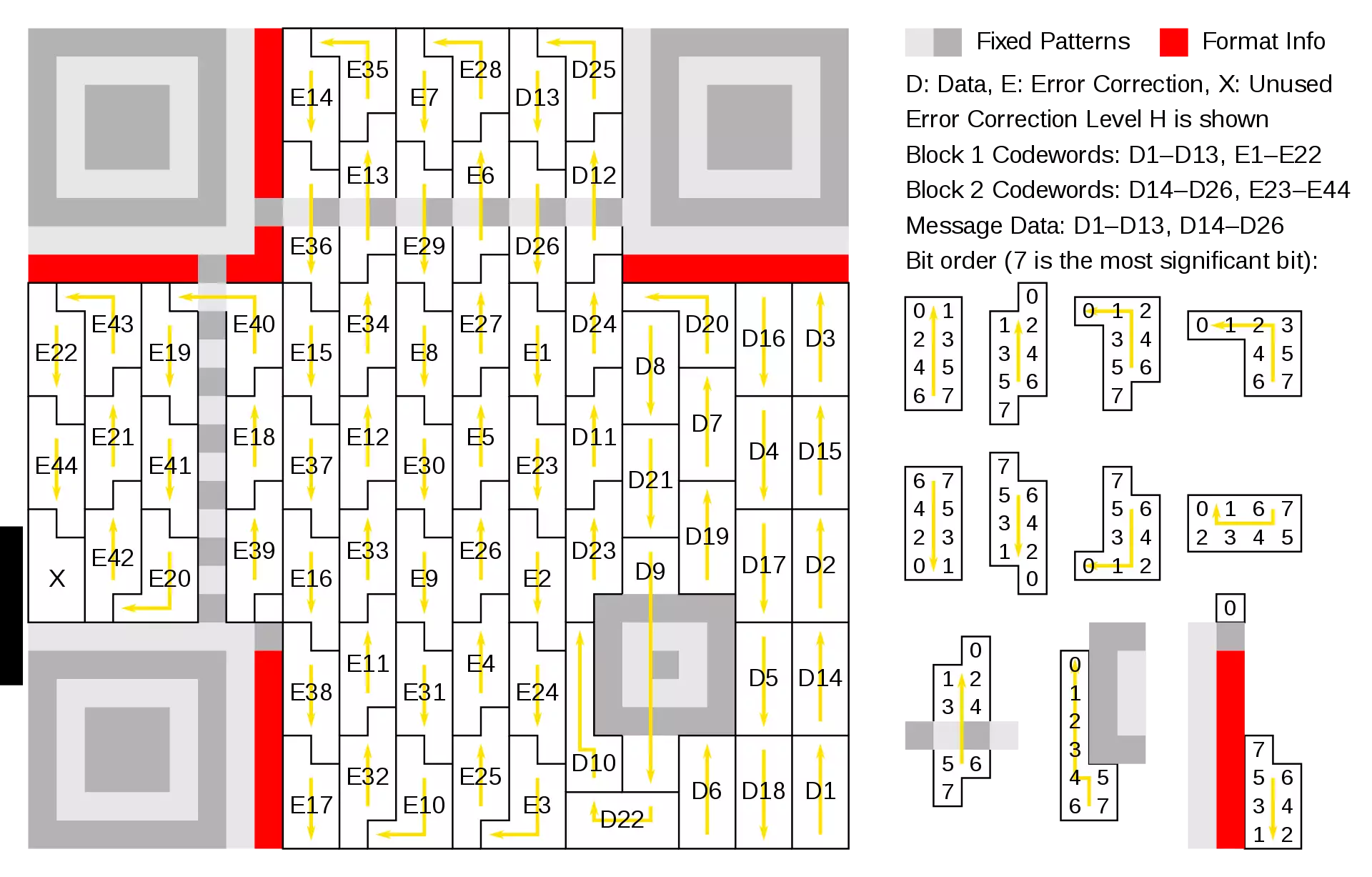
A QR code (Quick Response code) is a two-dimensional barcode that stores information in a grid of black and white squares. It was invented in 1994 by Masahiro Hara at the Japanese company Denso Wave to track automobile parts during manufacturing.
Unlike traditional barcodes that store data in a single horizontal line, QR codes store data in two dimensions. This allows them to hold significantly more information.
Typical QR codes can store:
-
website URLs
-
text messages
-
contact information
-
product identifiers
-
Wi-Fi credentials
-
payment links
Because smartphones can easily read these codes using their cameras, QR codes quickly became a convenient bridge between the physical world and digital content.
How QR Codes Work
At first glance, QR codes look like random patterns. However, each part of the code has a specific function.
1. Finder Patterns
The three large squares in the corners help scanners detect the orientation of the code.
These patterns allow the camera to determine:
-
the position
-
the rotation
-
the scale of the code
2. Alignment Patterns
Smaller squares inside the QR code help correct distortions when scanning from different angles.
3. Data Modules
The small black and white squares store the encoded data.
QR codes convert information into binary numbers (1s and 0s) which are then arranged inside the grid.
4. Error Correction
QR codes include built-in error correction algorithms, which means they can still be scanned even if parts of the code are damaged or partially covered.
This is why QR codes still work even if:
-
they are scratched
-
printed on curved surfaces
-
partially hidden by a logo
Why QR Codes Became So Popular
QR codes became extremely popular for several reasons.
Instant Access
Users simply scan the code and are immediately directed to the content.
No typing is required.
Mobile Friendly
Almost all smartphones today can scan QR codes using the built-in camera.
High Data Capacity
QR codes can store much more information than traditional barcodes.
Versatile Applications
They can be used for:
-
marketing campaigns
-
digital payments
-
ticketing systems
-
authentication systems
-
product tracking
Because of this flexibility, QR codes are now widely used in retail, logistics, education, and digital marketing.
Common Uses of QR Codes
QR codes are used in many everyday situations.
Website Links
Businesses often print QR codes on posters or packaging that link to websites.
Contact Information
A QR code can store vCard information, allowing users to add a contact instantly.
Wi-Fi Sharing
QR codes can store Wi-Fi credentials so guests can connect without typing passwords.
Event Tickets
Many events use QR codes for digital ticket verification.
Product Information
Manufacturers use QR codes to provide manuals, videos, or product details.
How to Generate a QR Code

4
Generating a QR code today is very simple and requires only a few steps.
Step 1 — Choose the Data
Decide what you want the QR code to contain.
Examples:
-
a website link
-
text message
-
contact information
-
file download
Step 2 — Enter the Data into a Generator
Use an online QR code generator tool and paste the information.
The generator converts your data into the QR code format.
Step 3 — Generate the Code
The system encodes the information and creates the QR code image automatically.
Step 4 — Download the Image
Most generators allow you to download the QR code as:
-
PNG
-
JPG
-
SVG
These images can then be printed or used digitally.
Using Online Conversion Tools for Digital Workflows
QR code tools are often part of larger digital platforms that help users convert and manage files.
For example, the converter platform on linigu.cloud offers multiple tools designed for modern workflows:
👉 https://linigu.cloud/en/converter/
The platform provides online converters for different types of files, helping users transform data into formats that are easier to use or share.
This can include converting:
-
documents
-
translation files
-
images
-
PDFs
-
and other digital formats
Online converter tools are especially useful because they work directly in the browser and do not require installing software.
Best Practices When Using QR Codes

When generating QR codes, it is important to follow a few best practices.
Use High Contrast
QR codes work best with dark squares on a light background.
Test Before Publishing
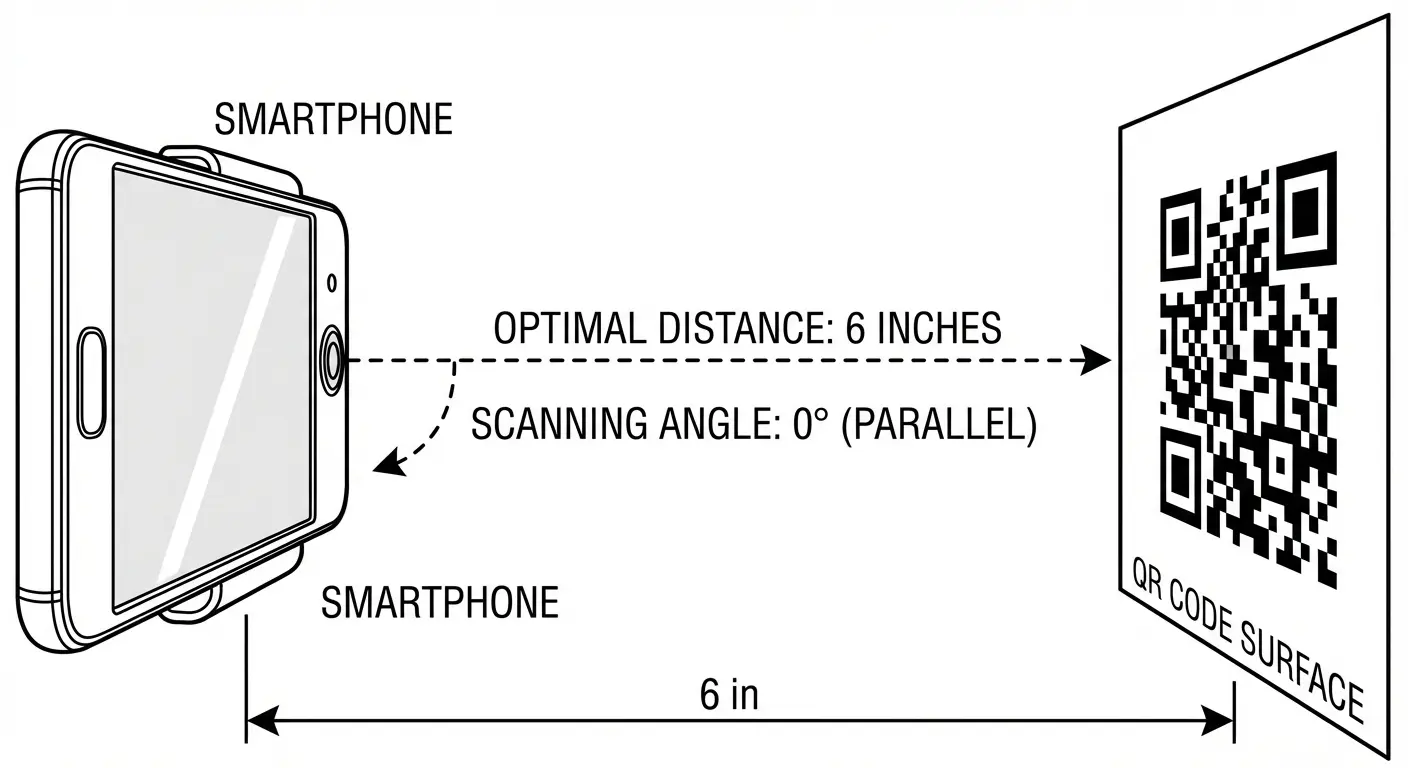
Always scan the QR code with multiple devices before printing it.
Use Adequate Size
Very small QR codes can be difficult to scan.
For printed materials, at least 2–3 cm width is recommended.
Avoid Distortion
Stretching or modifying the QR code image may break the encoded data.
Security Considerations
Although QR codes are convenient, users should be careful when scanning unknown codes.
Some malicious QR codes can redirect users to phishing websites or malware downloads.
To stay safe:
-
scan codes only from trusted sources
-
verify the URL before opening it
-
avoid entering sensitive information on unknown websites
The Future of QR Codes

QR codes will continue evolving as digital technologies advance.
New developments include:
-
AI-generated artistic QR codes
-
secure payment QR systems
-
dynamic QR codes with editable content
-
augmented reality integrations
As smartphones and digital services expand, QR codes will remain an important bridge between offline and online experiences.
Conclusion
QR codes are one of the simplest yet most powerful digital technologies available today. By encoding information inside a small square image, they allow users to instantly access websites, files, contact details, and many other types of data.
Creating a QR code is easy using modern online tools, and platforms such as the linigu.cloud converter hub provide convenient resources for generating and managing digital content.
As businesses continue to adopt contactless technologies and digital interactions, QR codes will remain a key part of the online ecosystem in 2026 and beyond.