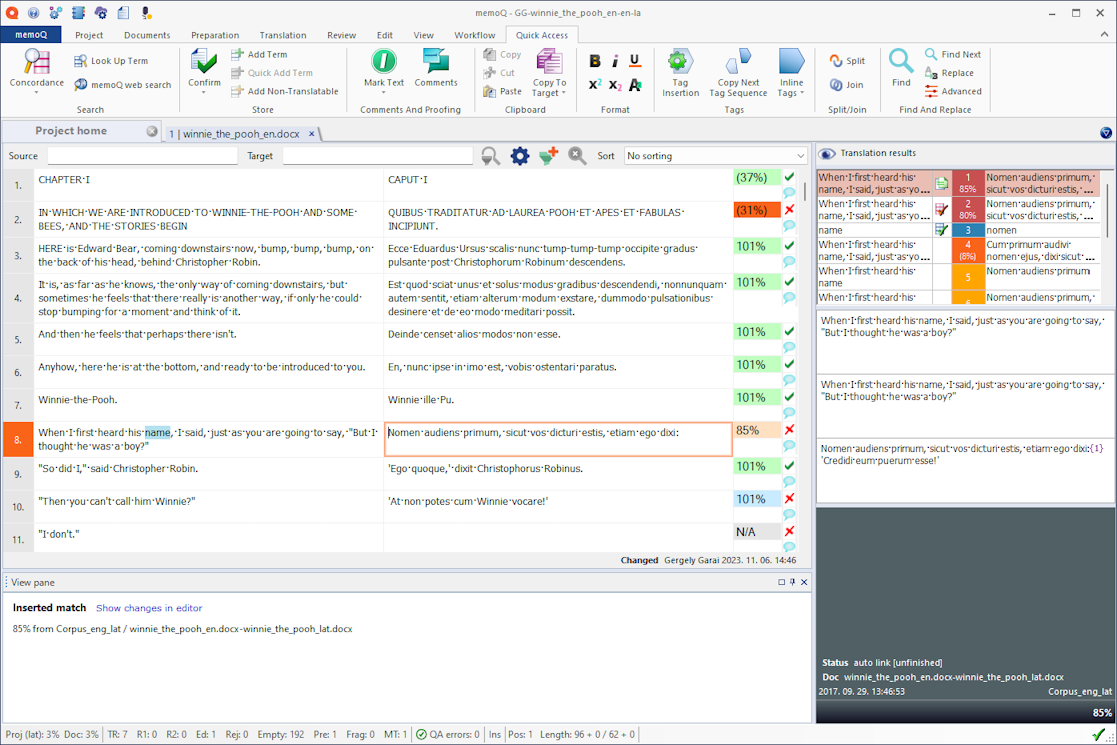
What Is MemoQ?
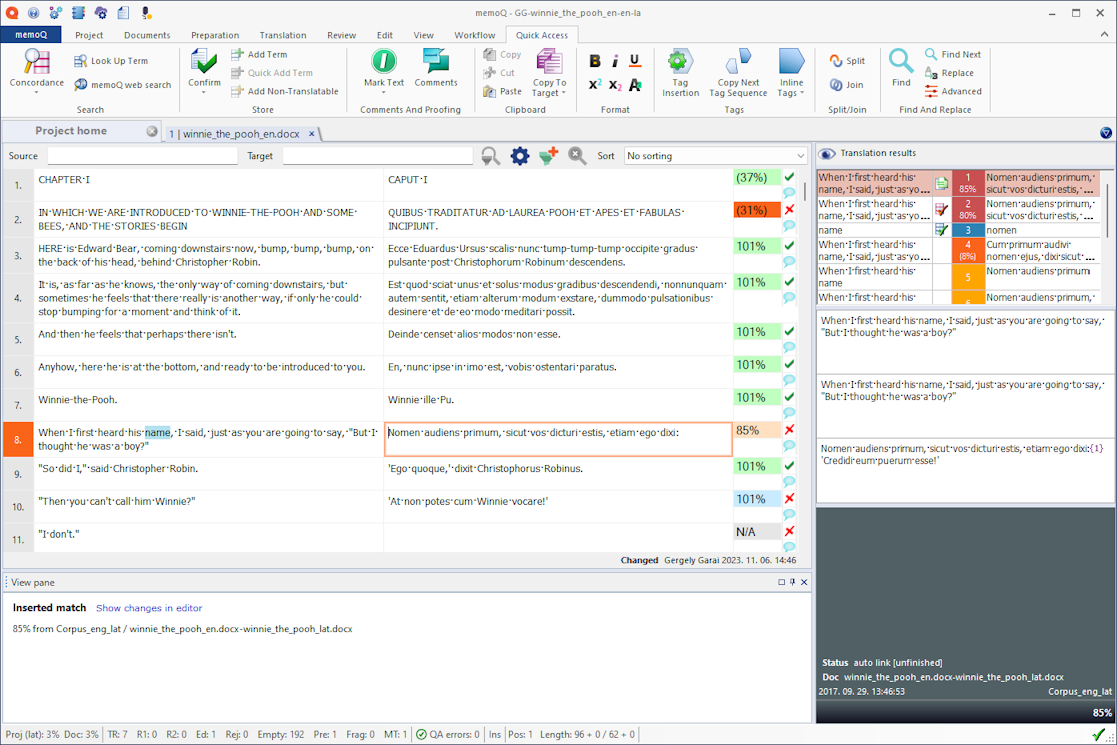
MemoQ is a professional Computer-Assisted Translation (CAT) tool developed by Kilgray and widely used by freelance translators, translation agencies, and language service providers (LSPs). Unlike machine translation engines, MemoQ does not translate content on its own; instead, it assists human translators by increasing consistency, accuracy, and productivity.
At its core, MemoQ works with translation memories (TM) and terminology databases (TB). When a translator works on a document, MemoQ automatically suggests previously translated segments or approved terms, helping ensure consistency across projects. This is especially valuable for large-scale projects, technical documentation, legal texts, and multilingual localization workflows.
MemoQ supports collaboration, project management, QA checks, and integration with machine translation engines such as DeepL, Google Translate, and Microsoft Translator. However, its real strength lies in how it empowers human translators rather than replacing them.
How to Use MemoQ: Basic Workflow
Using MemoQ follows a structured but intuitive workflow. Even though the interface may look complex at first, the logic is straightforward once understood.
The typical MemoQ workflow looks like this:
-
Create or receive a project
Projects can be created locally or received from a project manager. They usually include source files, translation memories, term bases, and instructions. -
Import source files
MemoQ supports a wide range of formats such as DOCX, XLSX, PPTX, XML, HTML, SDLXLIFF, IDML, and more. -
Translate segment by segment
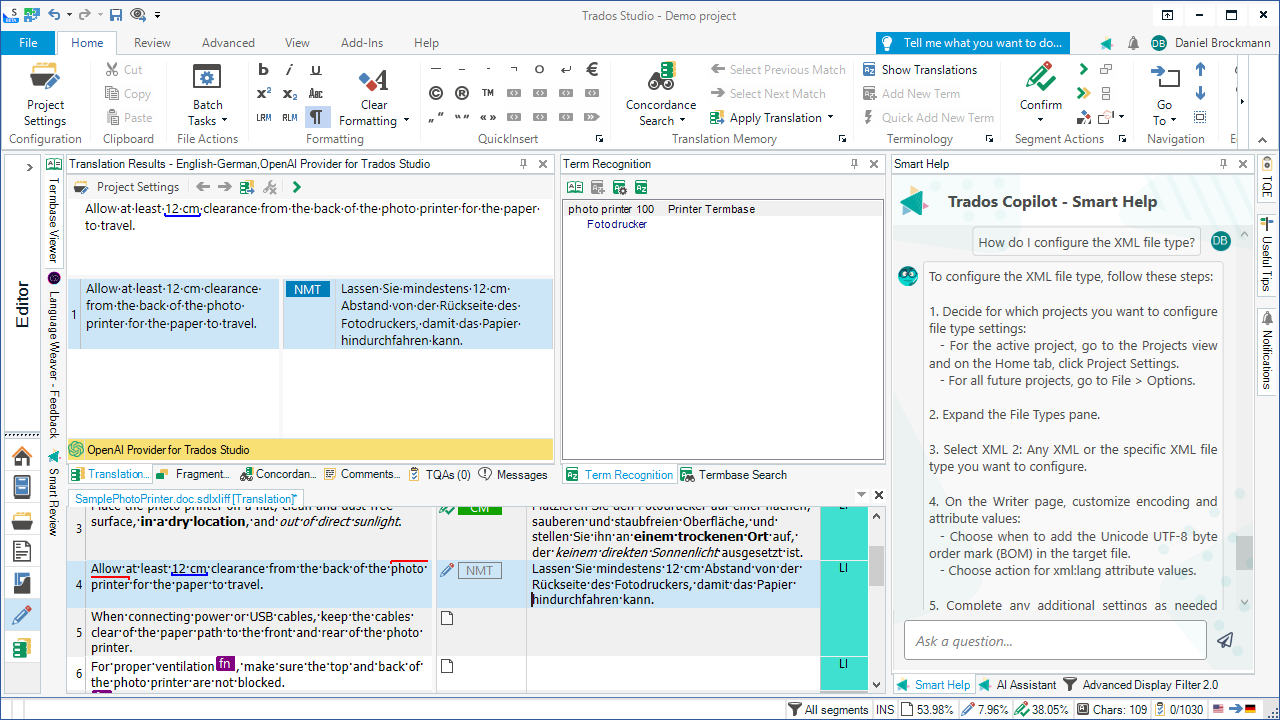
The text is divided into segments. MemoQ displays translation suggestions from TMs, term bases, and MT engines. -
Confirm segments
Once a segment is translated and reviewed, it is confirmed and stored in the translation memory. -
Run Quality Assurance (QA)
MemoQ checks for missing numbers, inconsistent terminology, formatting issues, and other potential errors. -
Export the final document
The translated file is exported in its original format, ready for delivery.
MemoQ is designed to reduce repetitive work, minimize errors, and allow translators to focus on linguistic quality rather than technical issues.
MemoQ File Extensions and How to Open Them
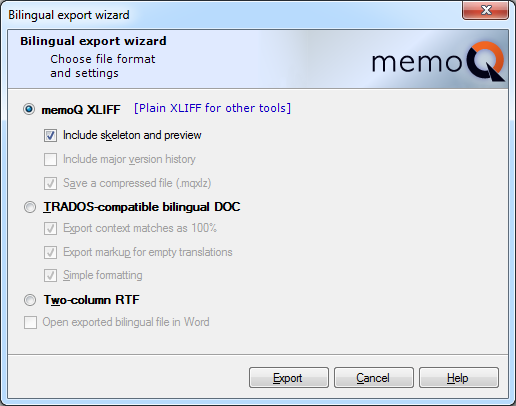
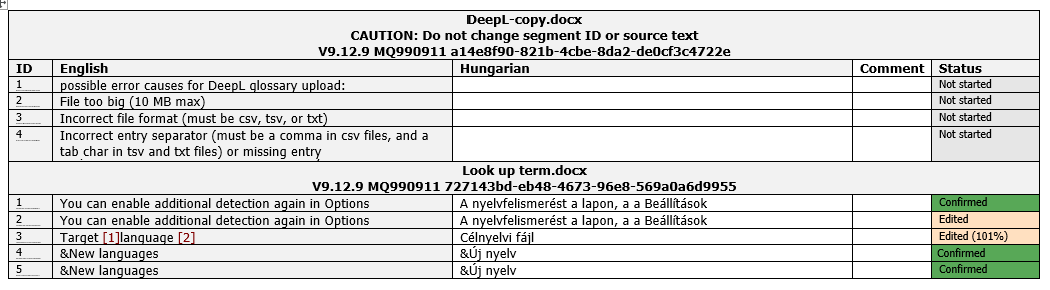
MemoQ uses several proprietary file formats. Understanding these extensions is essential, especially when exchanging files between translators and agencies.
Common MemoQ File Extensions
-
.mqxliff
A bilingual file containing both source and target segments. This is the most common file sent to translators.
➜ Opened only with MemoQ. -
.mqproj
A MemoQ project file containing project structure and settings.
➜ Opened with MemoQ to load the entire project. -
.mqtbz
MemoQ terminology database file.
➜ Imported into MemoQ as a term base. -
.mtx
MemoQ translation memory file.
➜ Imported into MemoQ as a TM.
How to Open MemoQ Files
To open MemoQ files, you must have MemoQ Desktop installed. Double-clicking .mqxliff or .mqproj files will automatically launch MemoQ. These files cannot be reliably opened or edited with other CAT tools or text editors.
This closed but controlled ecosystem ensures file integrity, proper QA checks, and compatibility within MemoQ-based workflows.
Proofreading Human Translation vs Machine Translation
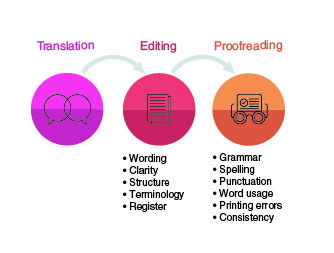
Proofreading is a critical step in any translation project, but not all proofreading is the same. The approach differs significantly depending on whether the source text was translated by a human or generated by a machine.
Proofreading Human Translation
When proofreading a human translation, the focus is primarily on refinement rather than correction. Human translators usually understand context, intent, and tone, which means the text is often structurally sound.
Key aspects include:
-
Stylistic improvements
-
Minor grammar or punctuation fixes
-
Terminology consistency
-
Natural flow and readability
-
Cultural appropriateness
In most cases, the proofreader acts as a second pair of eyes, polishing an already meaningful and coherent text.
Proofreading Machine Translation (MT Post-Editing)

Machine translation proofreading, often called post-editing, is fundamentally different. Instead of refining style, the proofreader often needs to repair meaning.
Common challenges include:
-
Incorrect sentence structure
-
Mistranslated terminology
-
Missing or hallucinated content
-
Literal translations that ignore context
-
Inconsistent tone
-
Wrong handling of negation or modality
In MT post-editing, the proofreader frequently rewrites entire sentences. This process requires high cognitive effort, strong subject-matter knowledge, and constant comparison with the source text.
Ironically, heavily flawed machine translation can take more time to fix than translating from scratch.
Why This Difference Matters in MemoQ Workflows
MemoQ supports both human translation and machine translation integration, but understanding the difference between proofreading types is essential for project planning.
-
Human translation + proofreading
➜ Focus on quality, nuance, and brand voice -
Machine translation + post-editing
➜ Focus on accuracy, error correction, and risk mitigation
Using MemoQ, project managers can assign different workflows, QA settings, and expectations depending on the translation method. This prevents unrealistic deadlines and ensures fair pricing and quality standards.
Is Machine Translation Proofreading Worth It?
The answer depends on the content type.
Machine translation post-editing may be suitable for:
-
Internal documents
-
Large volumes with tight deadlines
-
Content with low stylistic requirements
However, for:
-
Legal documents
-
Marketing content
-
Technical manuals
-
Brand-sensitive texts
Human translation followed by professional proofreading remains the gold standard.
MemoQ plays a key role by offering a controlled environment where both approaches can be managed effectively—without confusing automation with quality.
Final Thoughts
MemoQ is far more than a translation editor. It is a professional ecosystem that supports high-quality human translation, controlled machine translation usage, and structured proofreading workflows.
Understanding MemoQ’s file formats, basic usage, and the crucial differences between human and machine translation proofreading allows translators and agencies to make better linguistic and strategic decisions.
In a world increasingly driven by automation, MemoQ reminds us that tools should support translators — not replace them.
Comments
It is good