For many professional translators, SDL Trados Studio is one of the most widely used tools in the translation industry. Whether you are a freelance translator, a localization specialist, or a language service provider, understanding how CAT (Computer-Assisted Translation) tools work is essential for modern translation workflows.
Among the many CAT tools available today, SDL Trados Studio has become a standard platform for managing translation projects, translation memories, terminology databases, and multilingual content.
If you are new to translation technology, the system may seem complex at first. However, once you understand its core concepts, SDL Trados becomes a powerful tool that can dramatically improve productivity and consistency.
In this beginner’s guide, we will explore:
-
What SDL Trados Studio is
-
Why CAT tools are important in translation
-
How translation memories work
-
Key components of SDL Trados projects
-
Typical file formats used in Trados
-
How translators analyze translation files outside the CAT tool environment
What Is SDL Trados Studio?
SDL Trados Studio is a professional computer-assisted translation (CAT) tool used by translators to manage and translate multilingual content.
Instead of translating entire documents manually, the software breaks text into segments—usually sentences or phrases. Each segment appears in a bilingual editor where the translator can work efficiently.
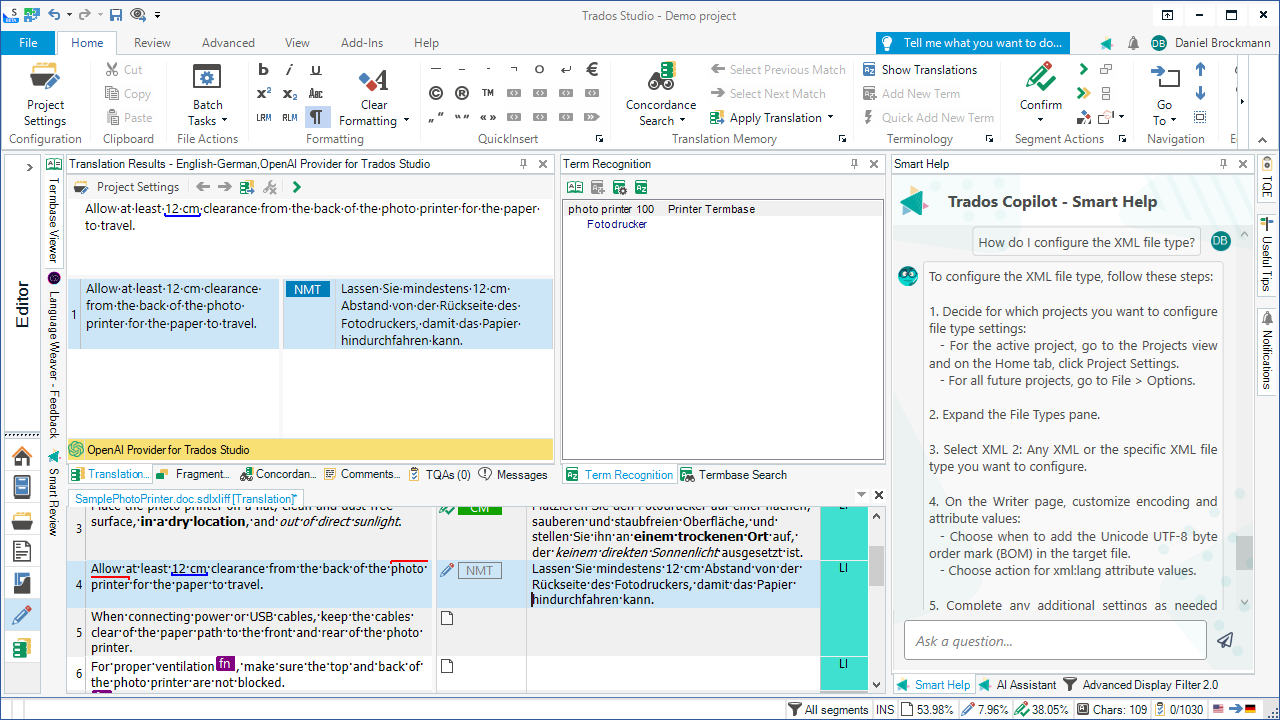
A typical SDL Trados interface contains:
-
a source segment (original text)
-
a target segment (translation field)
-
translation memory suggestions
-
terminology suggestions
-
formatting tags
The goal of the software is not to translate automatically but to support translators with linguistic data and automation tools.
Why CAT Tools Are Important in Modern Translation
Before CAT tools existed, translators worked with simple word processors. This meant that repeated sentences had to be translated again and again.
CAT tools solve this problem through translation memory technology.
Benefits of CAT tools include:
Increased Productivity
Repeated sentences are automatically suggested by the translation memory.
Terminology Consistency
Terminology databases ensure that specific terms are translated consistently.
Project Management
Large translation projects with thousands of segments can be managed efficiently.
Quality Assurance
Built-in QA checks detect errors such as missing numbers, inconsistent terminology, or formatting problems.
For agencies and companies handling multilingual content, CAT tools have become an essential part of the translation process.
How Translation Memories Work
One of the most important components of SDL Trados is the translation memory (TM).
A translation memory stores pairs of translated segments.
For example:
| Source | Target |
|---|---|
| Install the software. | Installez le logiciel. |
Every time a translator translates a segment, it is saved into the translation memory.
Later, when similar sentences appear, the system suggests previous translations.
Matches can be:
-
100% matches – identical sentences
-
fuzzy matches – similar sentences
-
context matches – identical sentences in the same context
This system saves time and ensures consistency across large translation projects.
Terminology Management in SDL Trados

Another key component of translation technology is the termbase, which stores approved terminology.
A termbase typically contains:
-
source terms
-
target translations
-
definitions
-
usage notes
-
forbidden terms
For example:
| Term | Translation | Status |
|---|---|---|
| hard drive | disque dur | approved |
| HDD | disque dur | approved |
When translators encounter these terms during translation, SDL Trados automatically suggests the correct terminology.
This ensures consistency across technical documentation, software localization, and large multilingual projects.
Common SDL Trados File Formats
4
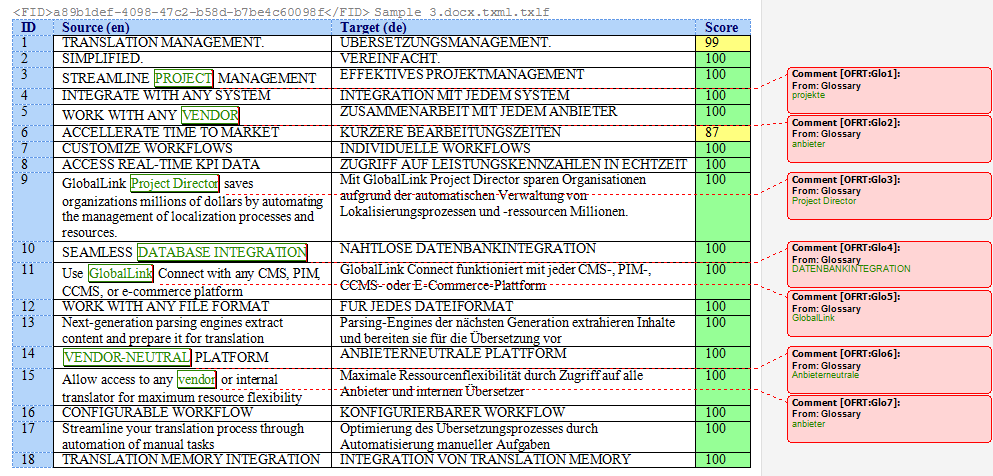
SDL Trados projects involve several specialized file formats.
Some of the most common include:
SDLXLIFF
The main bilingual translation file used in SDL Trados projects.
It stores:
-
source text
-
target translation
-
formatting tags
-
translation status
SDLTM
Translation memory database files.
These contain all previously translated segments.
SDLTB
Termbase files used for terminology management.
While these formats are efficient for CAT tools, they are not always easy to open directly outside the software.
Why Translators Sometimes Need External File Formats
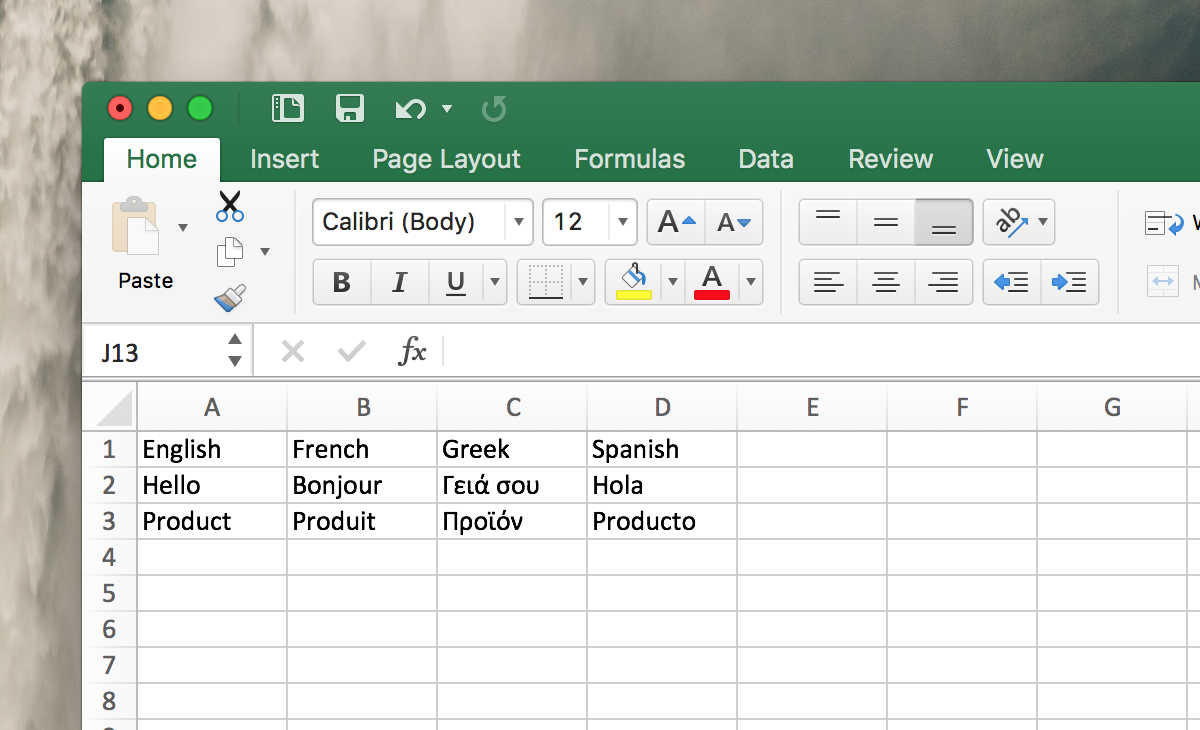
In many situations, translators need to access translation data outside SDL Trados.
Examples include:
-
reviewing segments with clients
-
performing terminology audits
-
running external QA tools
-
analyzing translation data
For these purposes, formats such as Excel spreadsheets or Word tables are often easier to work with.
These formats allow translators to:
-
filter segments
-
search terminology quickly
-
share bilingual data with project managers
Converting SDL Trados Files for Analysis

4
Because SDLXLIFF files are designed primarily for CAT tools, translators sometimes convert them into more accessible formats.
This allows them to:
-
inspect translation segments quickly
-
review bilingual data in spreadsheets
-
prepare files for external QA tools
-
share content with collaborators who do not use CAT tools
Conversion tools can make this process significantly easier.
How linigu.cloud Helps Translators Work with SDL Trados Files
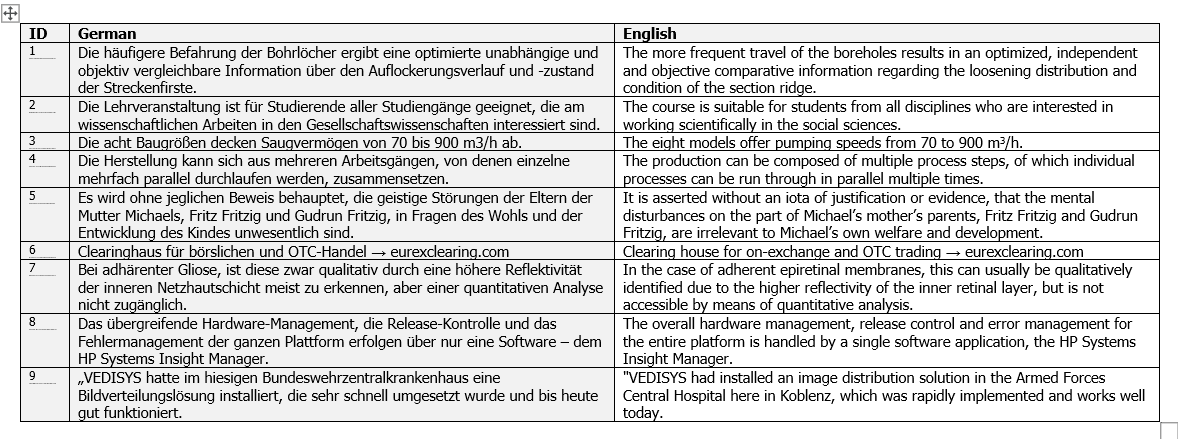
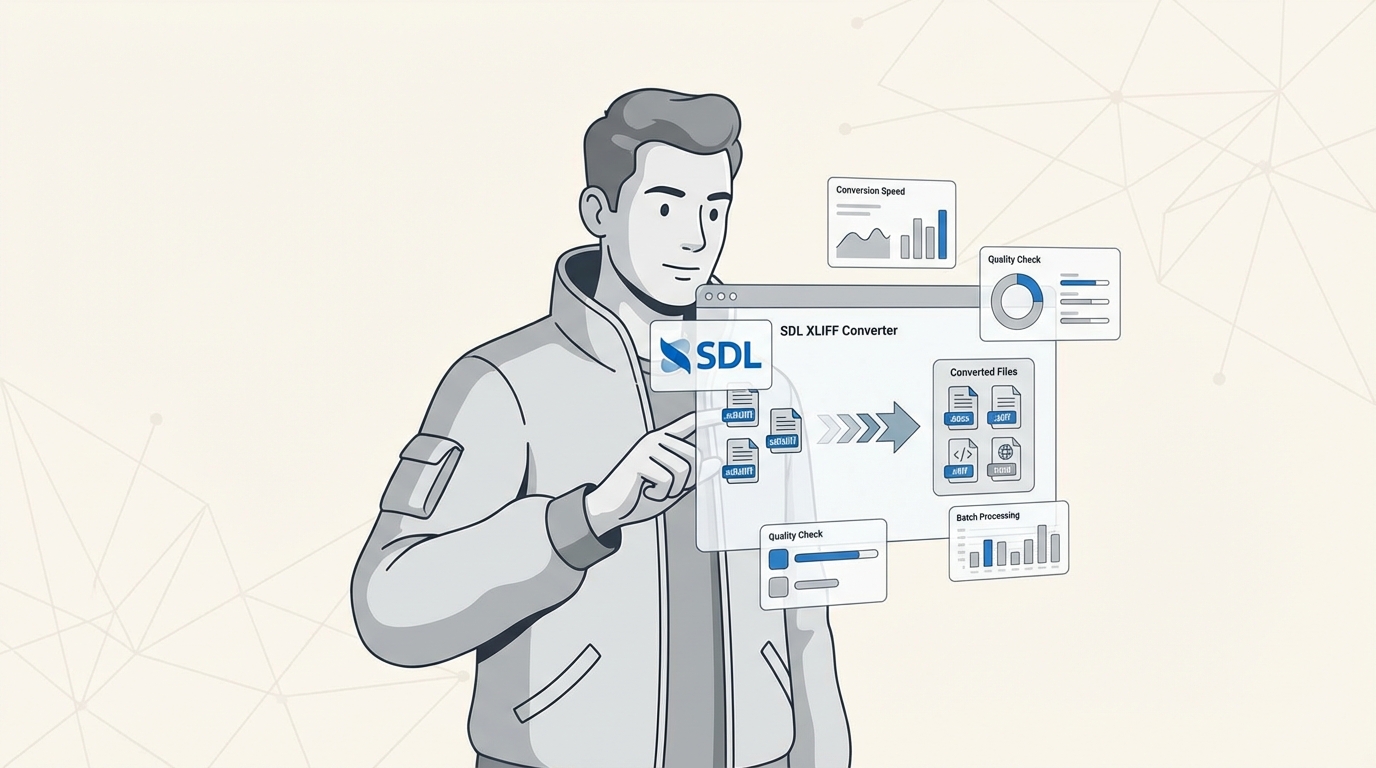
For translators who want to access their translation data outside the CAT tool environment, linigu.cloud provides an SDL Studio Converter.
With free registration, users can:
-
convert SDL Trados files instantly
-
export translations to Word or Excel
-
view bilingual segments easily
-
analyze translation data without opening the CAT tool
This can be particularly useful for:
-
QA checks
-
terminology review
-
project documentation
-
translation data analysis
By converting SDLXLIFF files into accessible formats, translators gain greater flexibility in their workflow.
The Future of Translation Technology
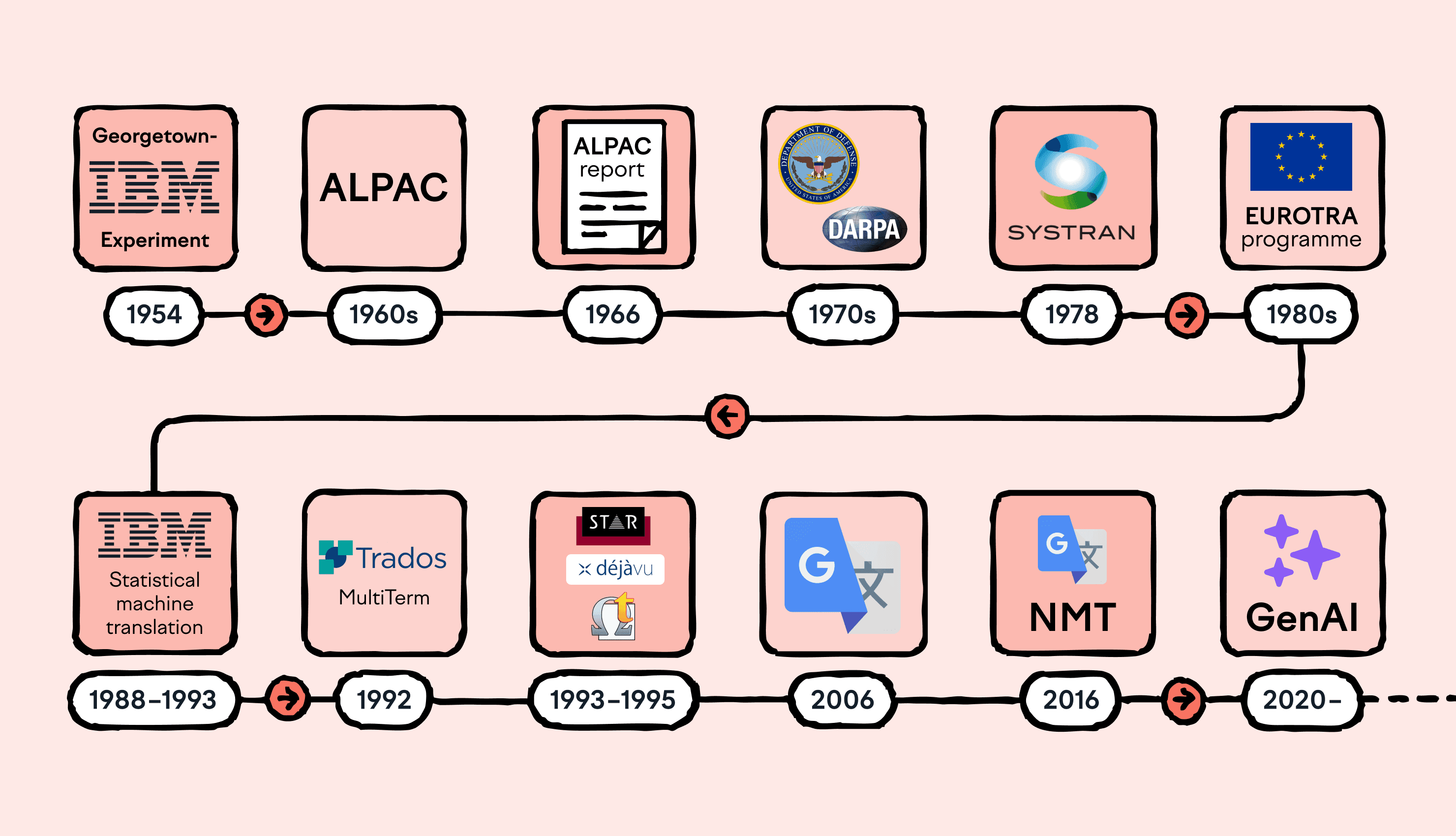
Translation technology continues to evolve rapidly.
Some emerging trends include:
AI-Assisted Translation
Artificial intelligence can generate translation suggestions that translators post-edit.
Cloud-Based CAT Tools
More translation tools are moving to web-based platforms.
Automated Quality Assurance
Advanced QA systems can detect translation errors automatically.
Integrated Localization Platforms
Translation workflows are increasingly integrated with software development pipelines.
Despite these changes, the fundamental role of translators remains the same: ensuring accurate and meaningful communication across languages.
Conclusion
SDL Trados Studio is one of the most powerful tools available for professional translators. By using translation memories, terminology databases, and structured workflows, it helps translators work faster and maintain consistency across large projects.
For beginners, the software may initially appear complex, but understanding its core concepts—segments, translation memories, and terminology management—makes it much easier to use.
In modern translation workflows, translators often need to access translation data outside CAT tools. Solutions like the linigu.cloud SDL Studio Converter help make this possible by converting SDL Trados files into Word or Excel formats, allowing translators to review, analyze, and share bilingual content more easily.
As translation technology continues evolving with AI and automation, mastering tools like SDL Trados will remain a valuable skill for language professionals.