Introduction: Across Errors Are About Control, Not Flexibility
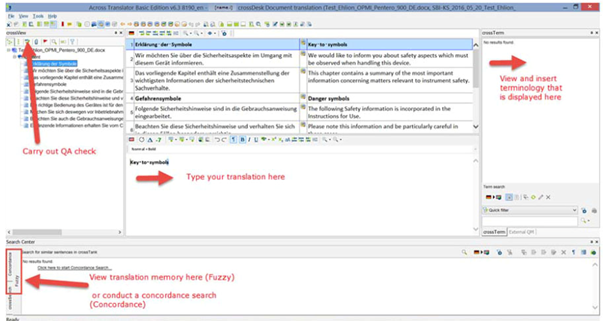
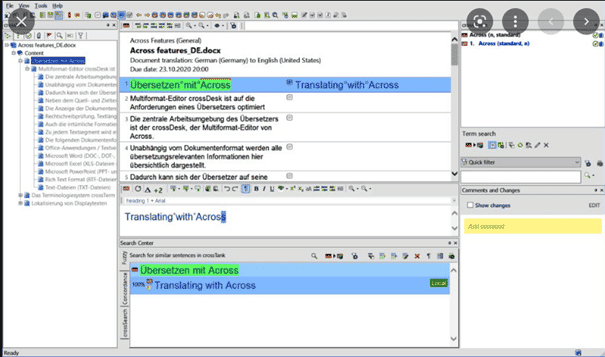
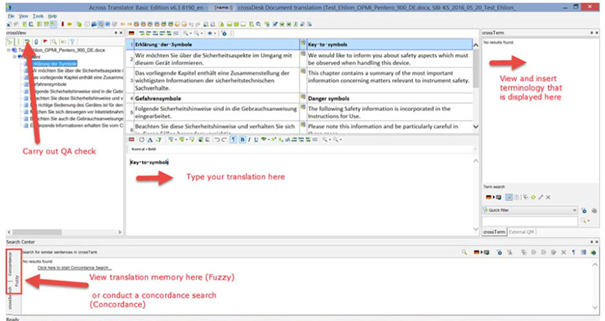
Across is designed for highly controlled, enterprise-level translation workflows.
Unlike SDL Trados or memoQ, Across allows less flexibility, which means most errors occur when users try to work against the system.
Understanding common Across errors helps translators:
-
Avoid blocked exports
-
Reduce client rejections
-
Work efficiently within strict rules
-
Maintain technical consistency
This article explains the most frequent Across errors, why they happen, and how to resolve them safely.
1. Segments Not Released or Confirmed
Why It Happens:
-
Translator edits without releasing segments
-
Misunderstanding Across confirmation workflow
-
Working offline without syncing
How to Fix:
-
Always release segments explicitly
-
Check segment status before delivery
-
Sync project regularly
In Across, editing is not the same as confirming.
2. Tag Errors and Structural Violations
Why It Happens:
-
Deleting tags accidentally
-
Moving tags incorrectly
-
Copy-paste from external editors
How to Fix:
-
Insert tags using Across shortcuts
-
Never type tags manually
-
Fix tag errors immediately
Across enforces strict structural integrity—tag errors block delivery.
3. Locked Segments Edited Accidentally
Why It Happens:
-
Not recognizing locked segment indicators
-
Attempting to overwrite protected content
-
Ignoring workflow restrictions
How to Fix:
-
Respect locked segments
-
Request unlock from project manager if needed
-
Never force edits
Locked segments exist for legal and technical reasons.
4. Terminology Violations
Why It Happens:
-
Using non-approved terminology
-
Ignoring term suggestions
-
Misunderstanding forbidden terms
How to Fix:
-
Follow preferred terms strictly
-
Replace forbidden terms immediately
-
Run terminology checks frequently
Across prioritizes terminology compliance over stylistic freedom.
5. QA Errors Ignored or Misread
Why It Happens:
-
Treating QA as optional
-
Misinterpreting warning severity
-
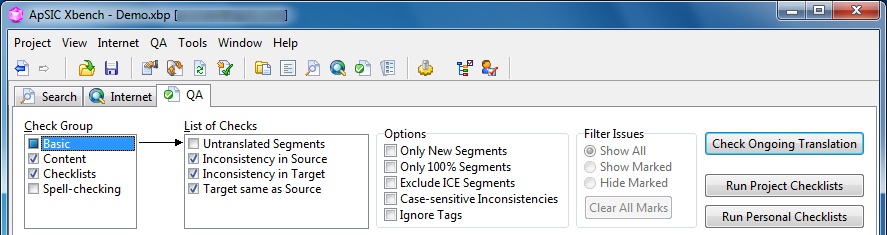
Skipping validation
How to Fix:
-
Run QA before every delivery
-
Fix critical errors first
-
Review warnings carefully
In Across, unresolved QA errors often prevent export.
6. File Export and Delivery Failures
Why It Happens:
-
Unresolved tag issues
-
Terminology violations
-
Unreleased segments
How to Fix:
-
Ensure all segments are released
-
Resolve QA errors
-
Re-run export after validation
If Across blocks export, the system is protecting the file.
7. Working Against the Workflow
Why It Happens:
-
Treating Across like Trados or memoQ
-
Expecting flexibility
-
Skipping defined steps
How to Fix:
-
Follow the assigned workflow strictly
-
Accept system restrictions
-
Communicate with project managers
Across is process-driven, not translator-driven.
8. Offline Work and Synchronization Errors

Why It Happens:
-
Working offline too long
-
Sync conflicts
-
Network interruptions
How to Fix:
-
Sync frequently
-
Avoid long offline sessions
-
Resolve conflicts immediately
Unsynced work can be lost or rejected.
9. Project Setup and Language Variant Errors

Why It Happens:
-
Wrong language variant selected
-
Missing resources
-
Incorrect project configuration
How to Fix:
-
Verify project settings before starting
-
Check language codes
-
Test with sample segments
Most serious errors start before translation begins.
Conclusion: Across Errors Enforce Discipline
Across errors are not random—and they are not unfair.
They exist to enforce:
-
Consistency
-
Terminology accuracy
-
Structural integrity
-
Enterprise standards
Professional Across users:
-
Respect the workflow
-
Fix errors immediately
-
Do not bypass system rules
-
Treat QA as mandatory
Across does not reward creativity—it rewards precision and discipline.
Comments ()
No comments yet. Be the first to comment!